Why Your Paid Ad Traffic Shows as Referral in Google Analytics (And How to Fix It)

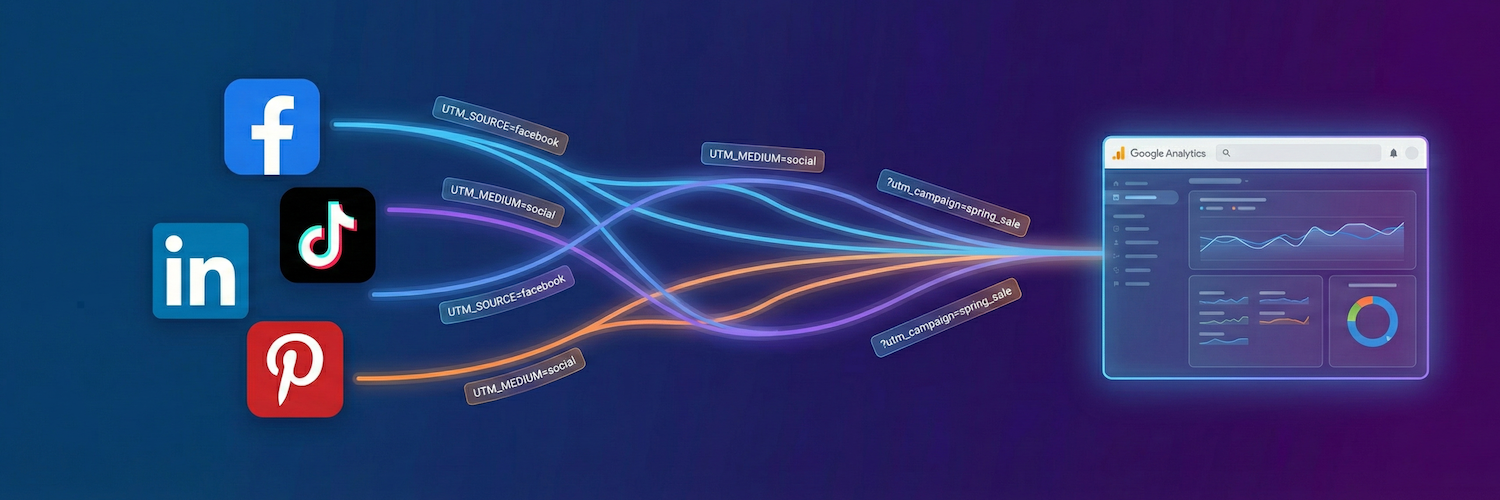
You're running paid ads on Facebook, TikTok, or LinkedIn. You check Google Analytics expecting to see your campaigns driving traffic. Instead, you find m.facebook.com / referral or l.instagram.com / referral cluttering your reports.
Sound familiar? You're not alone — and the fix is simpler than you might think.
✅ TL;DR
- Google Ads auto-tags for GA4. Most other platforms (Meta, TikTok, LinkedIn, Pinterest) do not.
- Without UTM parameters, GA4 sees your paid traffic as generic referral traffic.
- Add UTM parameters to every ad — copy-paste templates below.
- Each platform uses different macro syntax — don't mix them up.
🔴 The Problem: Paid Traffic Showing as Referral
When someone clicks your Facebook ad and lands on your site, two things happen:
- Facebook adds
fbclid— a click ID that Facebook uses for its own attribution in Ads Manager. - Google Analytics sees... nothing useful. It just knows the visitor came from
m.facebook.com.
The result? Your GA4 reports show:
| What you expect | What you get |
|---|---|
facebook / cpc | m.facebook.com / referral |
instagram / cpc | l.instagram.com / referral |
tiktok / cpc | tiktok.com / referral |
linkedin / cpc | linkedin.com / referral |
Your paid campaigns look like organic social traffic, making it impossible to measure ROI properly.
💬 Real-World Example
Here's an actual support conversation we had recently:
Customer: My problem is that in Google Analytics all my Meta traffic shows as referral
m.facebook.cominstead of paid Facebook and Instagram.Support: If your Facebook/Instagram ads do not use UTM parameters, GA4 has to guess the source/medium from the referrer. That often leads to
m.facebook.com / referralinstead of something clean likefacebook / cpc.Customer: My Facebook ad link did not have any UTMs, could that be the reason?
Support: Yes, that alone can absolutely be the reason.
Customer: I don't recall adding them before.
Support: That explains a lot. Without UTMs, GA4 never had a clear signal that this traffic was paid.
The customer had been running ads for months without UTMs. All that paid traffic was being misattributed as referral traffic in their analytics.
🟢 The Solution: UTM Parameters
UTM parameters are tags you add to your ad URLs that tell Google Analytics exactly where the traffic came from:
https://yourstore.com/product?utm_source=facebook&utm_medium=cpc&utm_campaign=summer-sale
When GA4 sees these parameters, it correctly attributes the session:
- Source: facebook
- Medium: cpc
- Campaign: summer-sale
⚙️ Which Platforms Auto-Tag vs Require Manual UTMs
Not all ad platforms are created equal when it comes to Google Analytics attribution:
| Platform | Auto-tags for GA4? | What you need to do |
|---|---|---|
| Google Ads | ✅ Yes (gclid) | Nothing — auto-tagging works out of the box |
| Microsoft Ads | ✅ Yes (msclkid) | Use auto-tagging (recommended over manual UTMs) |
| Meta (Facebook/Instagram) | ❌ No | Add UTM parameters manually |
| TikTok | ❌ No | Add UTM parameters manually |
| ❌ No | Add UTM parameters manually | |
| ❌ No | Add UTM parameters manually |
These platforms have auto-tagging enabled by default. Their click IDs (gclid and msclkid) automatically populate source/medium in GA4 when your accounts are linked. Stick with auto-tagging — it's more reliable than manual UTMs for these platforms.
Do NOT add UTM parameters to your Google Shopping product feed URLs. Google internally tags all Merchant Center traffic. Adding UTMs to feed URLs can cause duplicate or conflicting attribution data in GA4, making your reports less accurate rather than more.
📋 Copy-Paste UTM Templates
Here are ready-to-use templates with dynamic macros that automatically insert campaign, ad set, and ad names:
Meta (Facebook / Instagram)
utm_source=facebook&utm_medium=cpc&utm_campaign={{campaign.name}}&utm_content={{adset.name}}&utm_term={{ad.name}}
📖 Meta Dynamic Parameters Documentation
TikTok
utm_source=tiktok&utm_medium=cpc&utm_campaign=__CAMPAIGN_NAME__&utm_content=__AID_NAME__&utm_term=__CID_NAME__
📖 TikTok UTM Parameters Documentation
TikTok offers an option to automatically add utm_source and utm_medium to your ad URLs. Enable this in TikTok Ads Manager for a quick baseline, then add the campaign/ad group macros manually for full tracking granularity. Learn more
LinkedIn
utm_source=linkedin&utm_medium=cpc&utm_campaign={{CAMPAIGN_NAME}}&utm_content={{AD_NAME}}
📖 LinkedIn URL Tracking Parameters Documentation
LinkedIn updated its entity naming in October 2025 — "campaigns" are now "ad sets" in some accounts. If you're using the new hierarchy, use {{AD_SET_NAME}} and {{AD_NAME}} instead of {{CAMPAIGN_NAME}} and {{CREATIVE_NAME}}. Check which version your Campaign Manager account uses.
Pinterest
utm_source=pinterest&utm_medium=cpc&utm_campaign={campaign_name}&utm_content={adgroup_name}
📖 Pinterest Dynamic Tracking Documentation
⚠️ Important: Macro Syntax Differs by Platform
Each platform uses different delimiters for dynamic macros. You cannot mix and match:
| Platform | Syntax Style | Example |
|---|---|---|
| Meta | {{lowercase}} | {{campaign.name}} |
| TikTok | __UPPER_UNDERSCORE__ | __CAMPAIGN_NAME__ |
{{UPPER_CASE}} | {{CAMPAIGN_NAME}} | |
{single_curly} | {campaign_name} |
Use the exact syntax specified by each platform. A TikTok macro won't work in Facebook, and vice versa.
📍 Where to Add UTM Parameters
In Meta Ads Manager, you add UTM parameters at the ad level:
- Edit your ad
- Scroll to the Tracking section
- Find URL Parameters
- Paste your UTM string
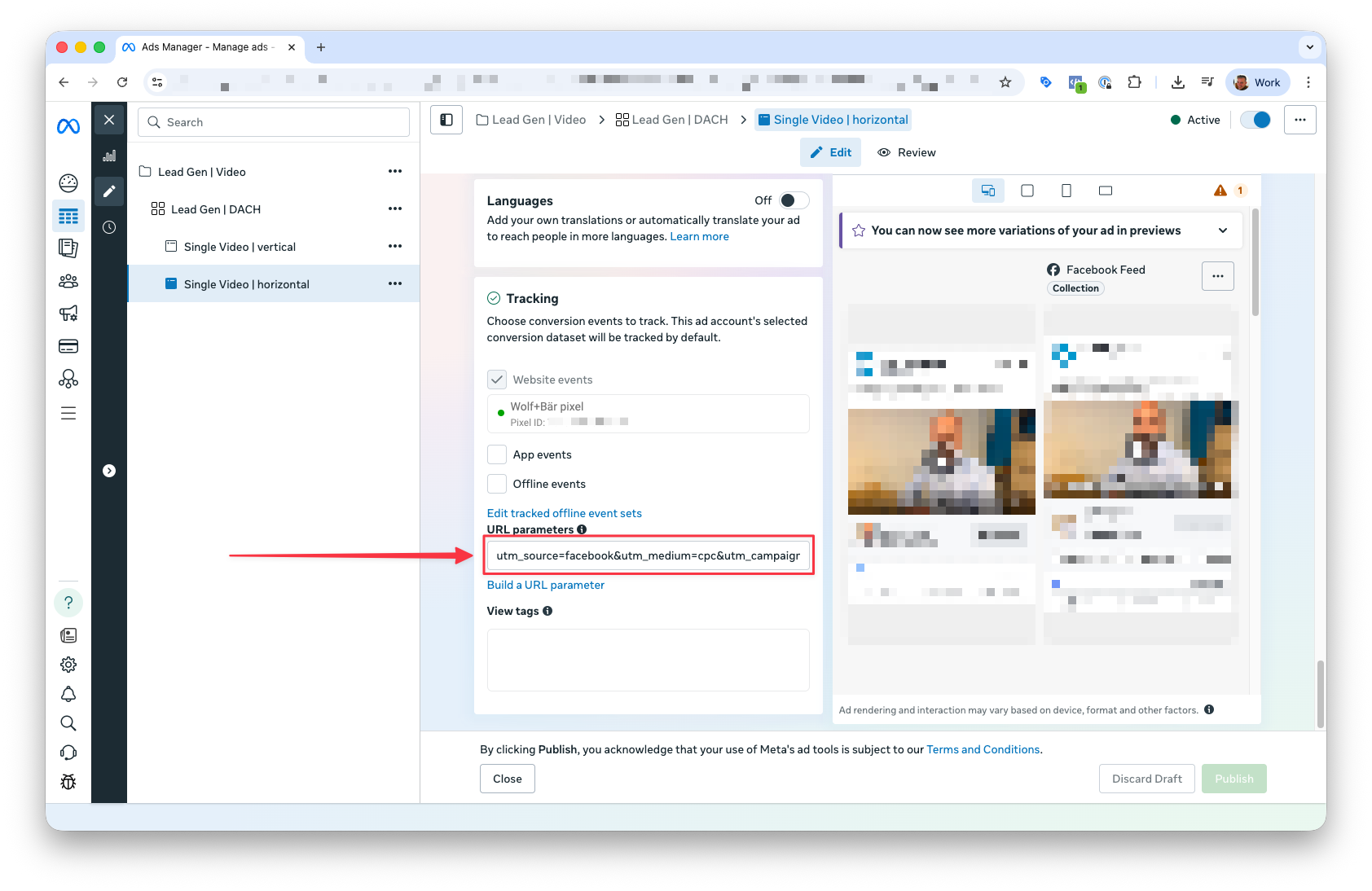
UTM parameters are not inherited from the campaign or ad set level. You must add them to each individual ad. If you duplicate an ad, the UTMs carry over — but new ads start blank.
🔧 Troubleshooting: UTMs Added But Still Seeing Referral?
If you've added UTM parameters but still see referral traffic in GA4, check these common issues:
✅ Checklist
-
Redirects stripping parameters — If your site redirects from
httptohttpsorwwwto non-www, ensure the redirect preserves query parameters. Test by clicking your ad and checking the final URL in your browser's address bar. -
Caching or optimization plugins — Some aggressive caching or JavaScript optimization plugins can delay or strip URL parameters. Temporarily disable "delay JS" or "combine JS" features and test again.
-
Payment gateway returns — If customers go to an external payment page (PayPal, Klarna, etc.) and return, GA4 may start a new session attributed to the payment provider. Add payment domains to GA4's referral exclusion list.
-
Multiple tracking implementations — If you have Google Analytics installed via multiple methods (Pixel Manager + another plugin, or hard-coded), they may conflict. Ensure GA4 is implemented only once.
-
Consent not given — If you use Explicit Consent Mode, tracking only starts after the visitor accepts cookies. Traffic from visitors who don't consent will appear with limited attribution.
📈 What to Expect After Adding UTMs
Once you've added UTM parameters to your ads:
| Before | After |
|---|---|
m.facebook.com / referral | facebook / cpc |
l.instagram.com / referral | facebook / cpc |
tiktok.com / referral | tiktok / cpc |
linkedin.com / referral | linkedin / cpc |
Important: This only affects new traffic. Historical data cannot be retroactively fixed — sessions already recorded as referral will stay that way. But going forward, your reports will finally show accurate paid attribution.
This article will be updated as we confirm UTM templates for additional platforms.

