AdRoll
info
In production. Will be available in one of the next releases.
info
This is a pro feature. Get the pro version here
Advertiser ID and Pixel ID
-
Go to: https://app.adroll.com
-
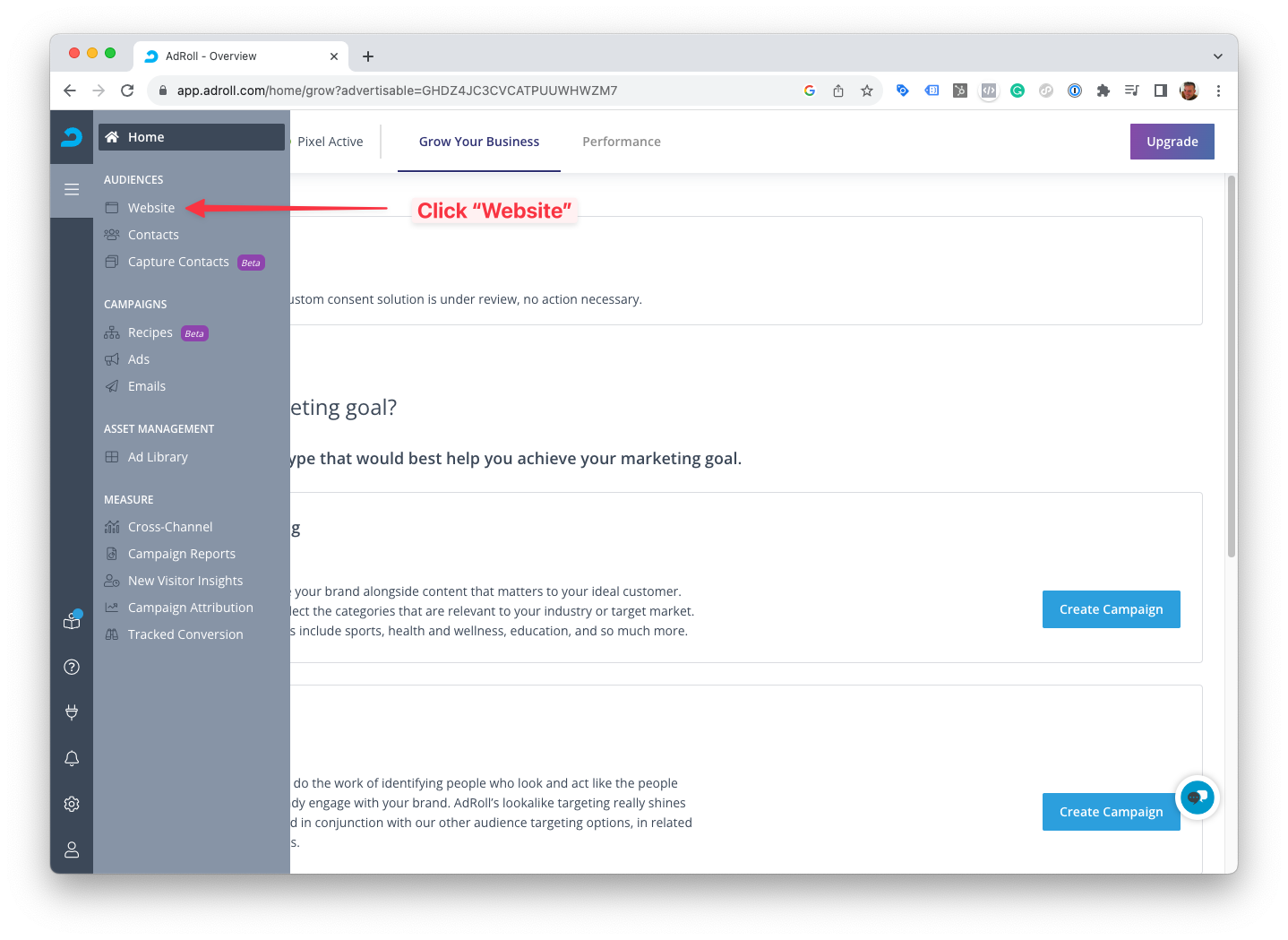
Click Website in the left sidemenu.
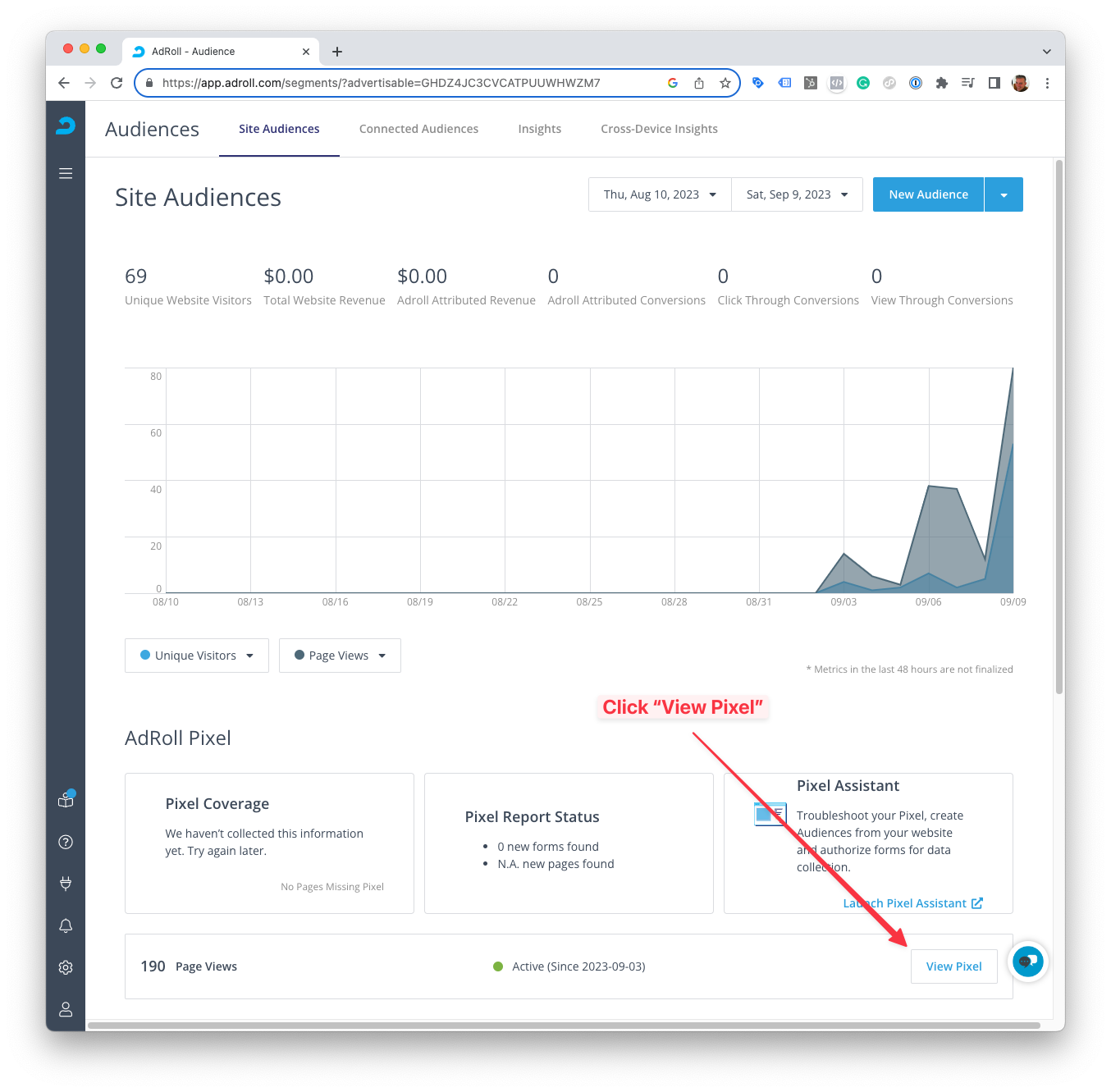
- Scroll down and click View Pixel.
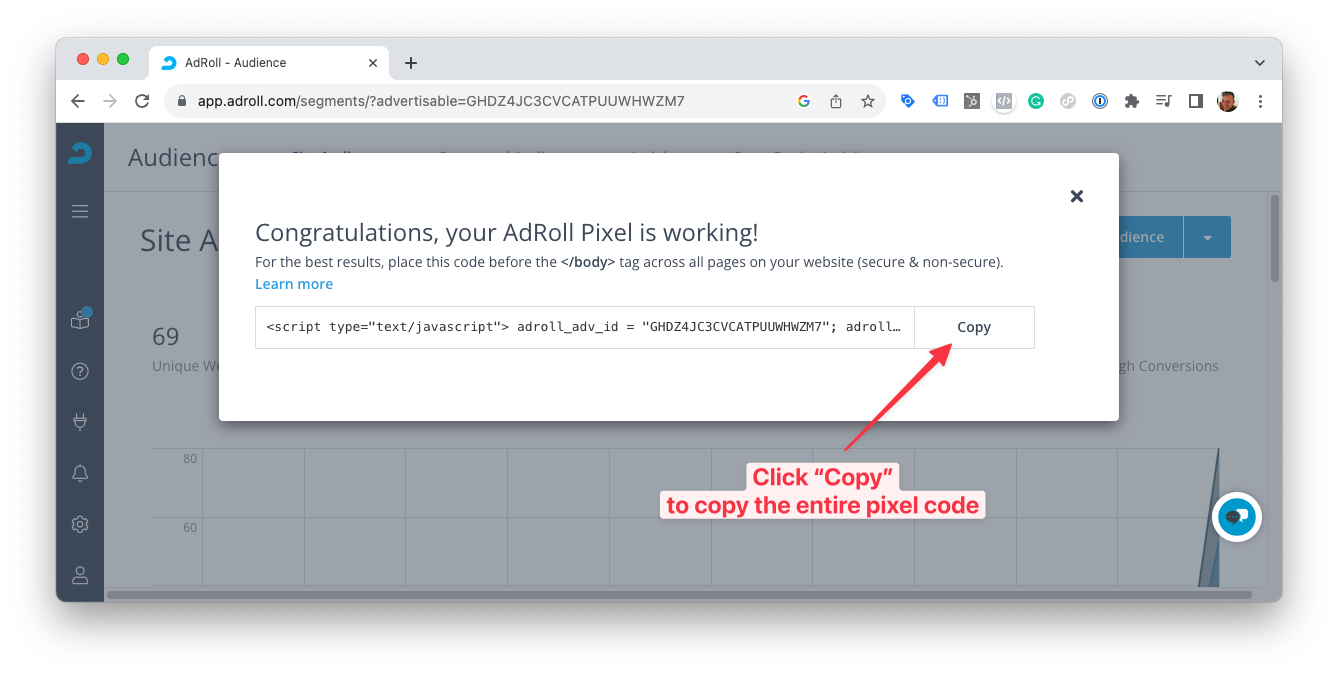
- Click Copy to copy the entire code snippet.
- Open a new tab with a text editor and paste the code snippet.
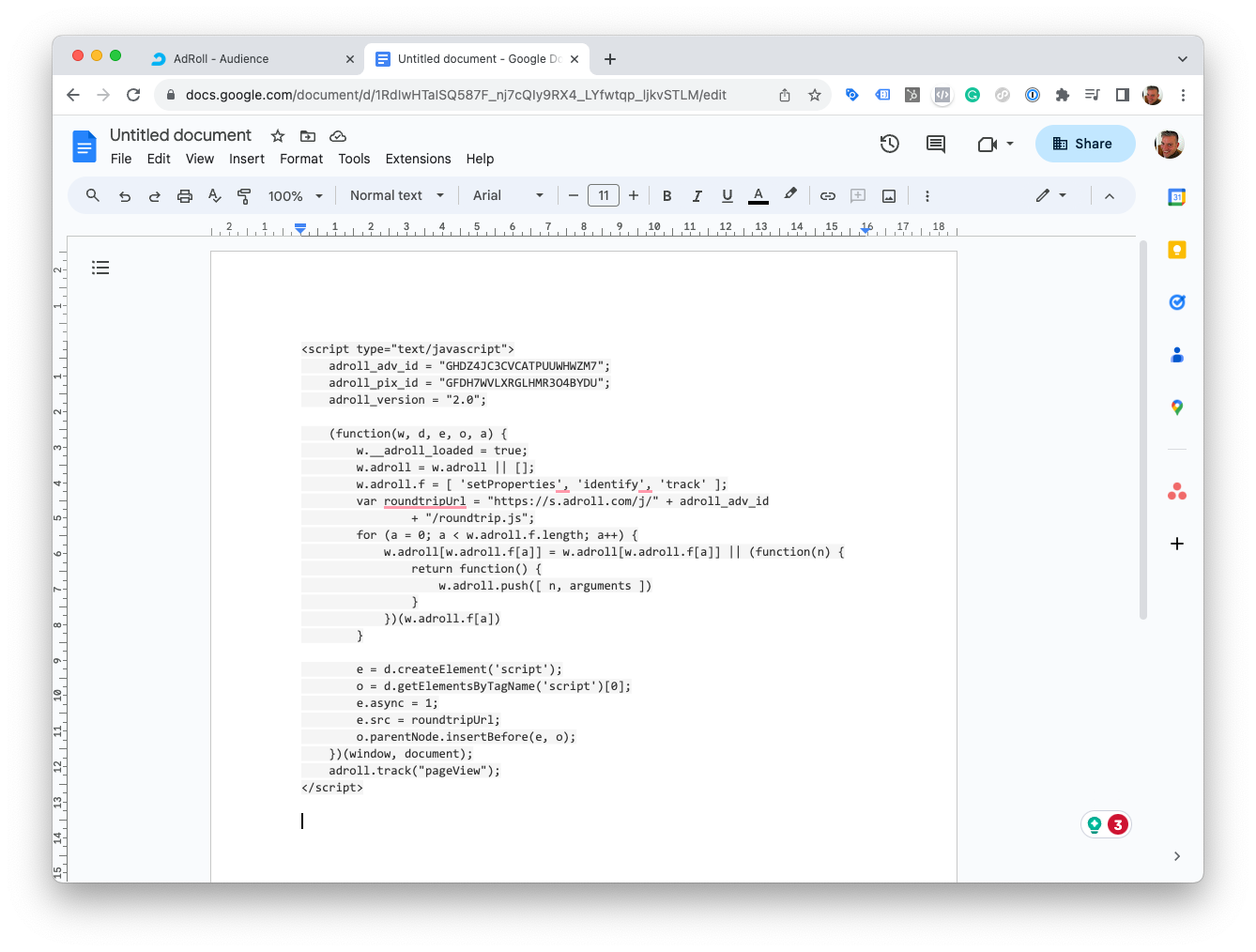
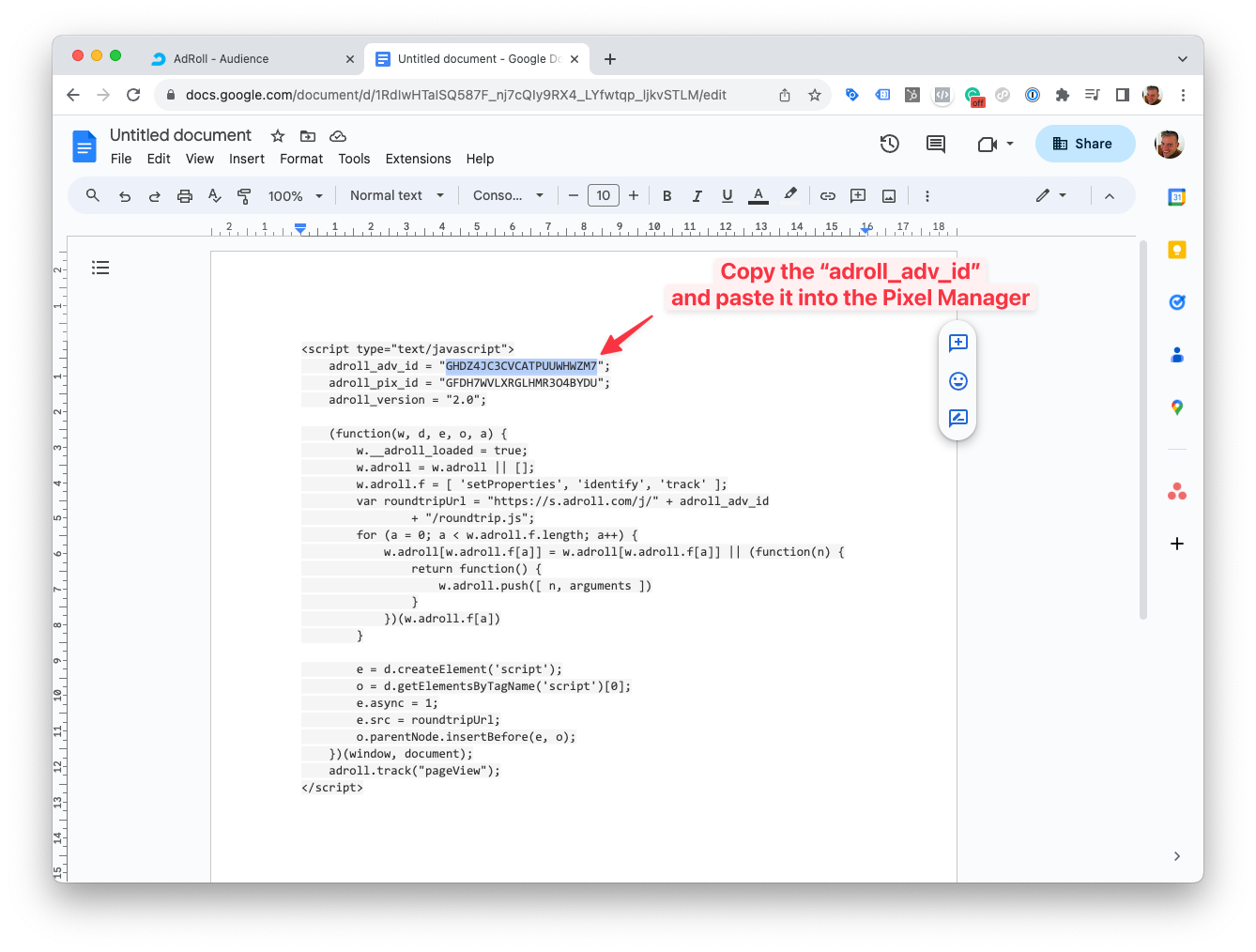
- In the Pixel Manager, open Tracking Pixels → AdRoll, then copy the
adroll_adv_idand paste it into the Advertiser ID field.
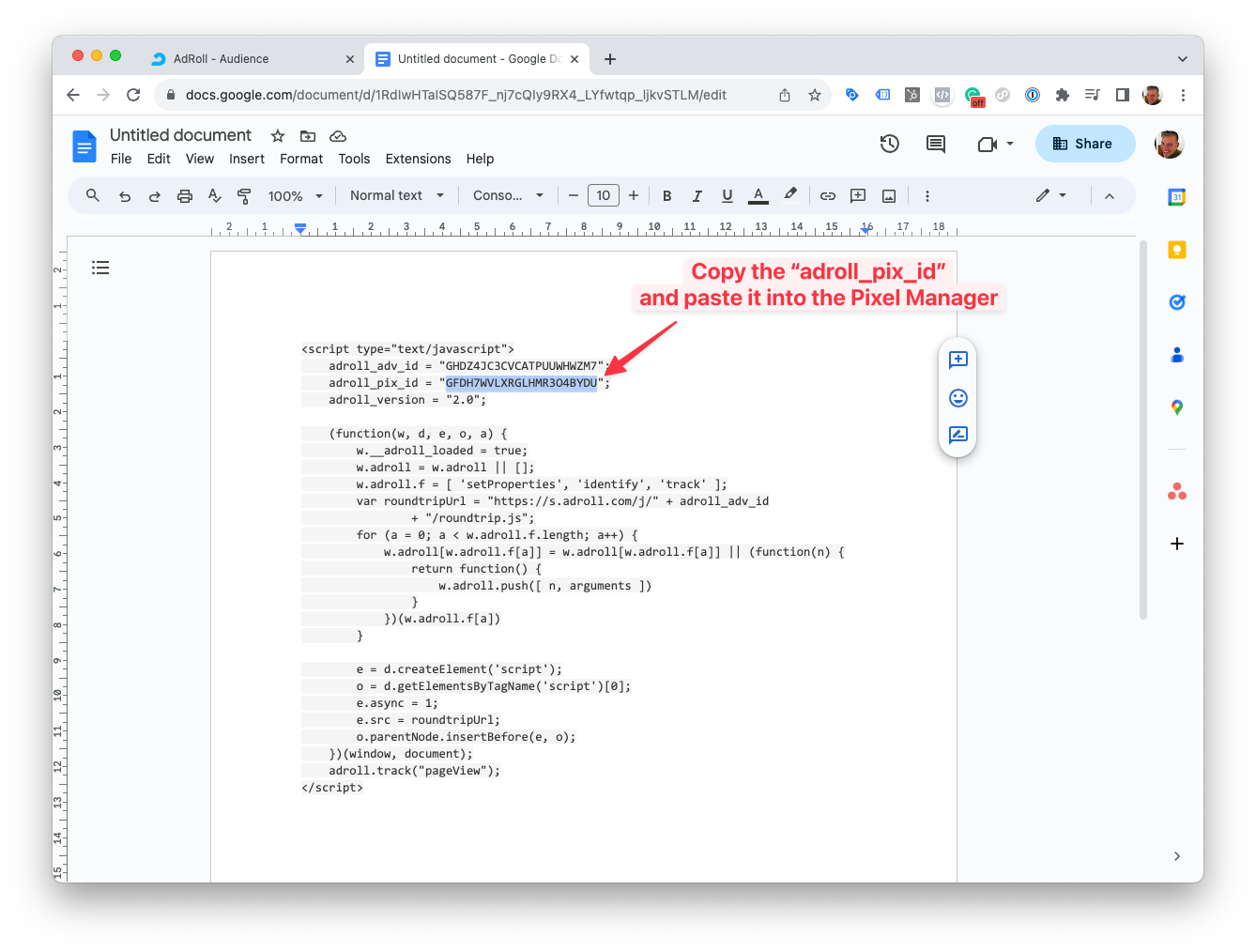
- Copy the
adroll_pix_idand paste it into the Pixel ID field in the same card.
- Click Save.
Supported Events
Here's a list of supported events.

