How to Stop Your WooCommerce Store From Breaking

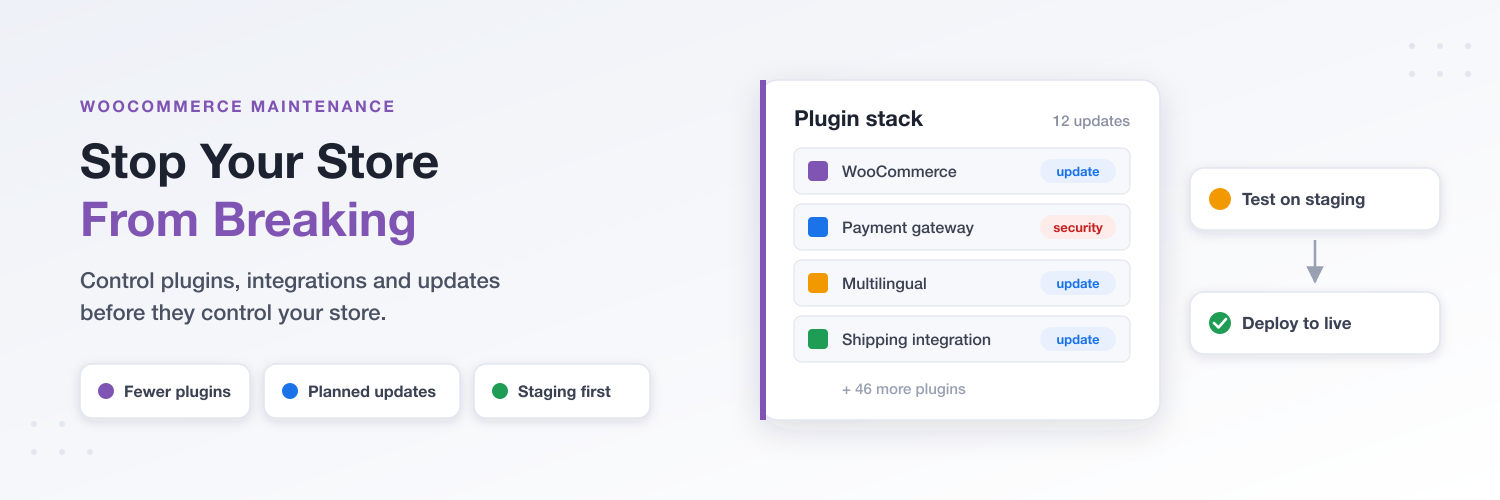
Your WooCommerce store probably started with a theme, a few essential plugins, and a handful of products. Because everything worked, you kept building. Maybe you added payment gateways, marketing tools, shipping integrations, multiple languages, and more product variations as your business grew.
Now, you're receiving update notifications from WordPress, WooCommerce, your theme, and dozens of plugin developers. Every update is another change to manage, test, and potentially fix.
This is one of the challenges of running a growing WooCommerce store. WooCommerce is powerful and flexible, but that flexibility comes with responsibility. The more components you add, the more complicated it becomes to keep everything working together. One plugin update or integration issue can break something elsewhere in your store, leading to downtime, troubleshooting, and unexpected developer costs.
The solution isn't to abandon WooCommerce but to control your store's complexity and establish a maintenance strategy that keeps it reliable as your business grows.
Let's look at how to reduce unnecessary dependencies, manage updates without compromising security, and prevent avoidable problems from breaking your store.
1. WooCommerce Is Great Software. Complexity Is the Problem.
WooCommerce is a flexible ecommerce platform that can support everything from small shops to large online stores. You can customize almost every aspect of your store with plugins, themes, and integrations. But as your business grows, that flexibility can also become a source of complexity.
WooCommerce is open-source software, so you choose and manage your own hosting, themes, plugins, and integrations. This is different from a SaaS ecommerce platform like Shopify or Wix, where you’re essentially renting a more managed stack. The provider handles hosting and typically screens the apps available in its marketplace before merchants can install them. This reduces some of the compatibility risks and maintenance responsibilities, although it doesn’t eliminate them entirely.
A typical WooCommerce store might have 50 plugins from different developers, several external integrations, multiple languages, and thousands of products with variations. Add a theme and extensions that interact with different parts of your store, and you have a lot of moving pieces to maintain.
Some plugins also need to communicate with multiple parts of your store to do their job. Language plugins, for example, need to handle more than translated pages. They may interact with products, variations, checkout, and other plugins to keep the multilingual experience consistent. A compatibility issue can therefore affect much more than one section of your store.
Imagine an army with 50 different commanders but no general coordinating them. Each commander manages their own unit, but nobody is ultimately responsible for making sure they all work together. That's what a complex WooCommerce installation can look like. Every developer maintains their own product and releases updates on their own schedule.
Even when individual plugins work perfectly, interactions between them can break your store. Finding the cause can take time, require developer assistance, and cost you sales, especially during peak shopping periods.
A reliable store needs all its components to work together reliably.
2. Stop Decorating Your Christmas Tree: Control Your Plugin Stack
Think of your WooCommerce store as a Christmas tree. Every time you install another plugin, you're adding another decoration. One more might not seem like a problem, but eventually, the tree gets crowded, tangled, and harder to manage.
That's the Wild West of the WooCommerce ecosystem. Unlike more tightly controlled ecommerce platforms, WooCommerce allows independent developers and companies to build and sell plugins. This gives merchants plenty of choice, but quality, support, compatibility testing, and maintenance practices vary. A plugin might work perfectly on its own but conflict with another component in your particular setup.
Every additional plugin introduces another dependency, update schedule, and potential source of problems. Some overlap in functionality, while others add unnecessary scripts and database queries that can affect store performance.
So, how do you keep your plugin stack under control?
- Audit your plugins regularly. Check whether each one serves a genuine business purpose. Remove redundant or unnecessary plugins after checking their dependencies.
- Do your homework before installing anything. Read WordPress.org reviews, support threads, developer documentation, and independent forum discussions. Check update frequency, compatibility, and support quality. Even use AI to help evaluate potential risks.
- Appoint a general. Have a lead developer oversee your entire WooCommerce setup, understand how its components interact, and take responsibility for coordinating changes.
- Consider consolidating vendors. Using several extensions from an established company like YITH can simplify vendor management and support.
The goal isn't to eliminate plugins but to avoid unnecessary moving parts and understand what you're adding to your store.
3. Be Careful With API Integrations
As your WooCommerce store grows, you'll probably need to connect it to more external systems. These might include inventory and warehouse management software, accounting tools, ERP systems, shipping providers, CRMs, and marketing platforms. Integrations help automate business processes, but every connection introduces another dependency.
The problem is that these external systems don't always work reliably together. An API change, expired authentication token, or service outage can interrupt data synchronization. Orders might not reach your fulfillment system, inventory levels might become inaccurate, or customer information might fail to update. The more direct connections you create, the harder it becomes to identify where something went wrong.
This is why integration architecture is important. Instead of connecting every system directly to WooCommerce, consider whether a central system, such as an ERP, can coordinate inventory, orders, and other business data. This can reduce the number of independent connections you need to maintain.
Tools like WP All Import can also help with specific product and data import workflows, but they aren't universal replacements for API integrations.
Before adding another integration:
- Map out which systems exchange data and why.
- Identify the source of truth for inventory, orders, and customer information.
- Avoid duplicate integrations that perform the same job.
- Monitor synchronization errors and document how each connection works.
- Test integration changes before deploying them to your live store.
Integrations should make your business easier to manage instead of creating another network of dependencies that can break your store.
4. Think Twice Before Adding Complexity
WooCommerce can support highly customized stores, but just because something is technically possible doesn't mean it's practical to maintain. Every additional feature, integration, or customization adds another layer to your setup that needs to work with everything else.
Imagine running a WooCommerce store in four languages using WPML, with thousands of products and hundreds of variations. Now add plugins for pricing, shipping, product feeds, inventory management, and other store functions. Each component might work perfectly on its own, but the number of interactions increases significantly. A change to product data or language settings could affect several connected features, potentially breaking parts of your store.
The more complex your configuration becomes, the more testing and specialized troubleshooting it may require. This doesn't mean you should avoid advanced functionality. It means you should consider the ongoing maintenance costs before committing to it.
Before adding another layer of complexity, ask yourself:
- Is it necessary? Does this feature solve a genuine business problem?
- Can an existing tool do the job? Check whether a plugin you already use offers the functionality you need.
- What's the long-term cost? Consider licensing, compatibility testing, updates, and potential developer assistance.
- Have you tested the setup? Check how new functionality interacts with realistic products, orders, and customer journeys.
Review your store's architecture as your business grows. A setup that worked perfectly with 100 products might need a different approach with 10,000.
5. Don't Update Everything Immediately. Build an Update Strategy.
Running a WooCommerce store can feel like a constant cycle of updates. WordPress releases updates, WooCommerce has its own schedule, and theme and plugin developers send notifications whenever they release a new version.
For merchants managing dozens of components, keeping up can quickly become another maintenance job.
And updates aren't always straightforward. Changing one component can introduce compatibility issues elsewhere, requiring developer time to investigate and fix. The more complex your store, the more work it takes to verify that everything still functions correctly. These costs add up, especially if you need external developers for every maintenance cycle.
The answer isn't to ignore updates or install everything immediately. Build a predictable, risk-based maintenance schedule instead.
WooCommerce merchants can receive update notifications several times a week. Managing every notification as a separate task can mean repeated testing, developer involvement, and maintenance costs.
So, how do you handle the volume without putting your store at risk?
- For routine theme and plugin updates, consider consolidating maintenance into one or two planned update cycles per year. During these windows, your lead developer can review the available updates, coordinate related changes, and update the components together.
- Security updates need a separate assessment. Many WordPress updates are described as security releases, but that doesn't mean every update requires an immediate deployment. Ask your lead developer how critical the specific fix is, whether your store is exposed to the vulnerability, and how urgently it needs to be applied. Critical fixes affecting security, checkout, payments, or order processing should not wait for the next routine maintenance window.
- Use common sense: review release notes, consider the risks, and consolidate updates wherever practical. Keep a record of changes and avoid unnecessary updates immediately before major sales events. The goal should be to reduce maintenance costs and headaches without leaving your store exposed or running outdated software indefinitely.
6. Always Test Updates on Staging
Your live WooCommerce store is not a testing environment. It handles real customers, orders, payments, and business data. An update that breaks checkout or disrupts an integration can affect sales while you investigate and fix the problem.
That's why you should test changes on a staging environment first. Staging provides a separate copy of your store where you can install updates, change configurations, and check compatibility without exposing live customers to the same risks.
Use a consistent checklist to verify that essential functions still work:
- Products: Check product pages, categories, and variations.
- Checkout: Test the cart, checkout process, payment gateways, and order creation.
- Store settings: Verify shipping calculations, taxes, and discount rules.
- Integrations: Check inventory synchronization and connections to external systems.
- Customer experience: Test customer accounts, transactional emails, and translated content where relevant.
- Tracking: Confirm analytics and advertising tools still record events, including purchases.
Backups and a recovery plan are equally important. Keep recent copies of your store's files and database, and periodically verify that you can restore them. Know how to roll back a problematic deployment. Remember that restoring an older backup may also remove legitimate orders created afterward, so recovery needs to account for live transactions.
If you're dealing with a security breach, address the vulnerability and verify that the environment is safe before restoring anything.
Finally, monitor your live store after deploying changes. Staging, backups, and rollback procedures won't prevent every issue, but they give you a controlled way to catch problems early and limit the cost of failed updates.
7. Keep Your WooCommerce Stack Under Control
You don't necessarily need to move to Shopify or another ecommerce platform to keep your store reliable. WooCommerce can remain an excellent long-term solution, provided you manage its flexibility carefully.
That means reducing unnecessary plugins, avoiding overlapping functionality, choosing vendors with reliable support and maintenance practices, and keeping integrations purposeful. Review complex configurations as your business grows, establish a risk-based update strategy, and test changes on staging before deploying them. You should also budget for ongoing maintenance instead of treating it as an occasional emergency expense.
This becomes particularly important before Black Friday and other major sales periods. Review your store's performance, test checkout and payment processing, verify critical integrations, and make sure your developer understands the dependencies across your setup. Avoid unnecessary last-minute changes, but don't postpone important security fixes just because a busy sales period is approaching.
A good starting point is to ask your developer or maintenance provider to review your entire WooCommerce stack. Create an inventory of your theme, plugins, and integrations. Identify unnecessary dependencies, agree on a maintenance schedule, and establish clear procedures for security updates, staging tests, backups, and recovery.
The objective is to make maintenance predictable rather than reactive.
A reliable WooCommerce store is one whose complexity is understood, whose changes are managed carefully, and whose critical functions are tested regularly. With the right maintenance process, you can keep your store stable as your business grows without giving up the flexibility that made WooCommerce a good choice in the first place.
Conclusion
WooCommerce isn't inherently unreliable. Problems often arise when unnecessary complexity and poorly managed dependencies make a store harder to maintain. By reducing redundant plugins, managing integrations carefully, prioritizing updates, and testing changes before deployment, you can prevent many avoidable issues.
Instead of eliminating every plugin or replacing WooCommerce, build a setup that's manageable, well-maintained, and suited to your business.
Before your next busy sales period, take time to review your current WooCommerce setup. Identify unnecessary dependencies, check your maintenance process, and work with your developer to create a practical plan for updates, testing, and recovery. A little preparation now can help keep your store running reliably when your customers need it most.

