Introducing Nova: The New Pixel Manager Interface

The Pixel Manager has a brand-new face. Starting with version 1.59.0, Nova is the new default admin interface: faster, cleaner, and built to get you from "installed" to "tracking accurately" in minutes instead of hours.
Why We Built Nova
The Pixel Manager has grown a lot over the years. What started as a simple Google Ads tracking plugin now manages dozens of pixels, server-side conversion APIs, consent management, and diagnostics. The old interface served us well, but it was starting to show its age: long settings pages, full page reloads on every save, and no quick way to find the one setting you were looking for.
So we rebuilt the entire admin interface from the ground up. Three goals drove the redesign:
- Speed: Settings save instantly in the background, navigation is immediate, and the whole interface loads as one lightweight bundle.
- Clarity: Instead of one endless settings page, Nova organizes everything into focused tabs: Dashboard, Opportunities, Tracking Pixels, General, Consent, Server-Side, Diagnostics, and Support.
- A native WordPress feel: Nova is built on WordPress's own component library, the same one WordPress uses for its block editor. It looks and behaves like a natural part of wp-admin, stays consistent with future WordPress design updates, and avoids shipping a heavy third-party UI framework.
The New Dashboard
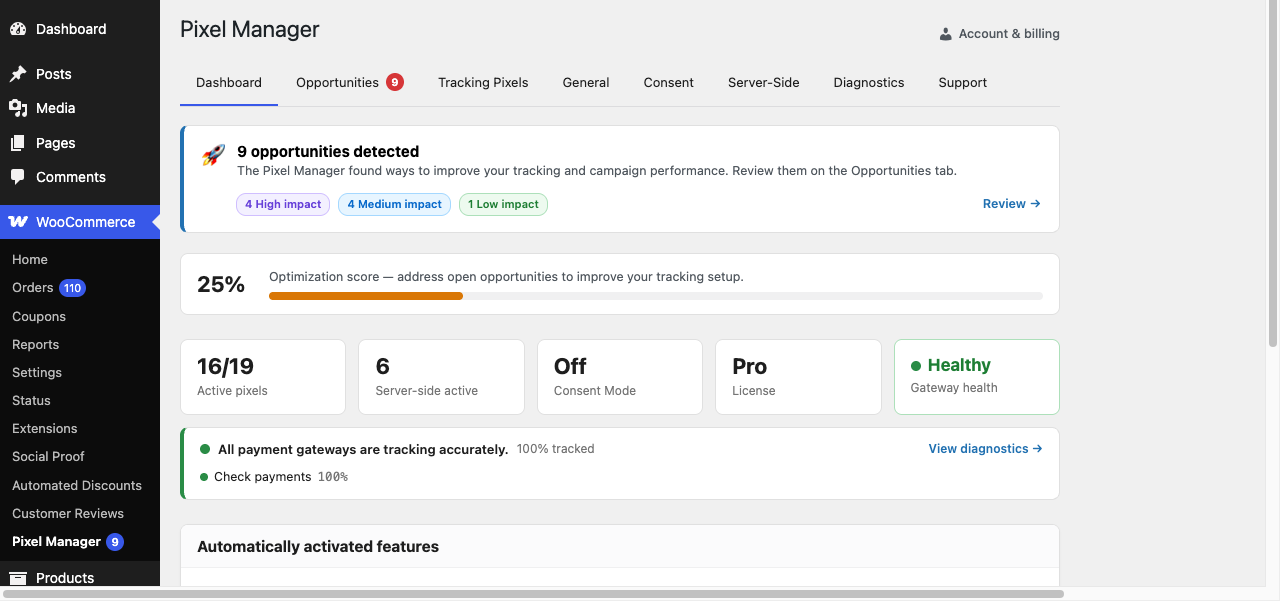
The first thing you'll notice is the new dashboard. It answers the most important question at a glance: is my tracking healthy?
- Optimization score: A single percentage that shows how much of your tracking potential you're using, based on open opportunities.
- Key stats at a glance: Active pixels, server-side tracking status, Consent Mode status, and your license, all in one row.
- Payment gateway health: The dashboard shows whether all your payment gateways are tracking purchases accurately, with a direct link to the full diagnostics report.
- Automatically activated features: See which features the Pixel Manager has enabled for you behind the scenes.
Opportunities: Your Tracking To-Do List
The Opportunities tab takes everything the Pixel Manager knows about your setup and turns it into an actionable, prioritized list. Each opportunity is labeled by impact (high, medium, or low), explains why it matters, and links directly to the setting or documentation you need.
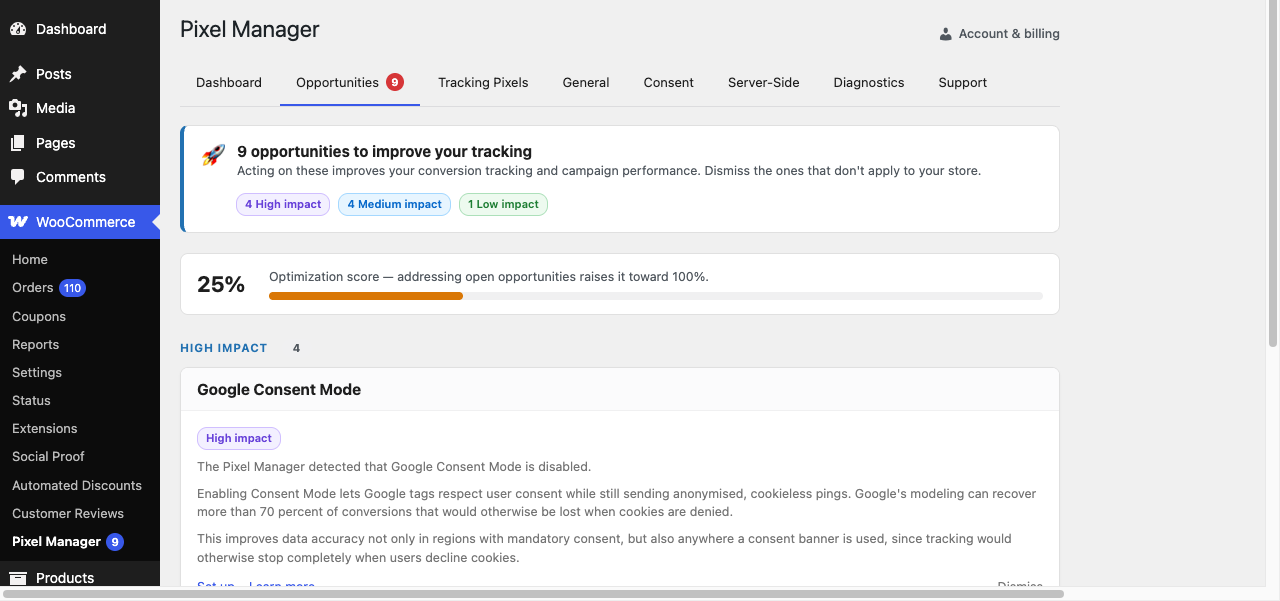
Dismissed an opportunity that doesn't apply to your store? No problem, it moves to a collapsible section and stops counting against your optimization score.
Tracking Pixels: Easier to Find, Filter, and Set Up
This is the part we're most excited about. The Pixel Manager supports a lot of pixels and conversion APIs, and finding the right one used to mean a lot of scrolling. Not anymore.
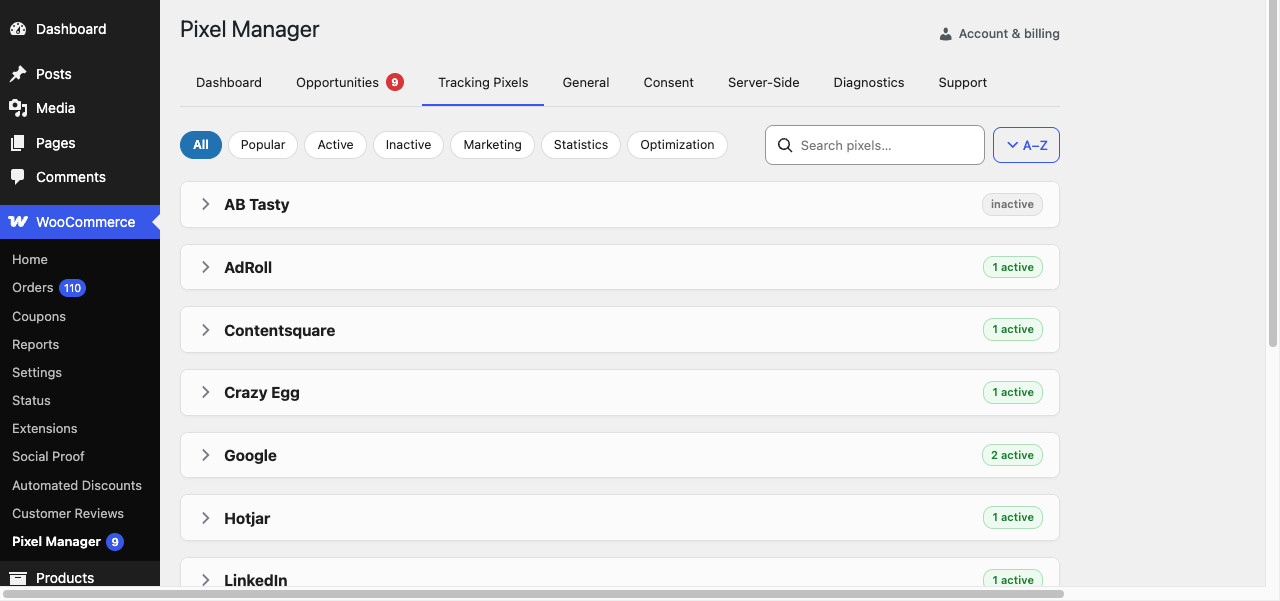
The new Tracking Pixels tab gives you:
- One-click filters: Show all pixels, just the popular ones, only active or inactive ones, or filter by purpose: Marketing, Statistics, or Optimization.
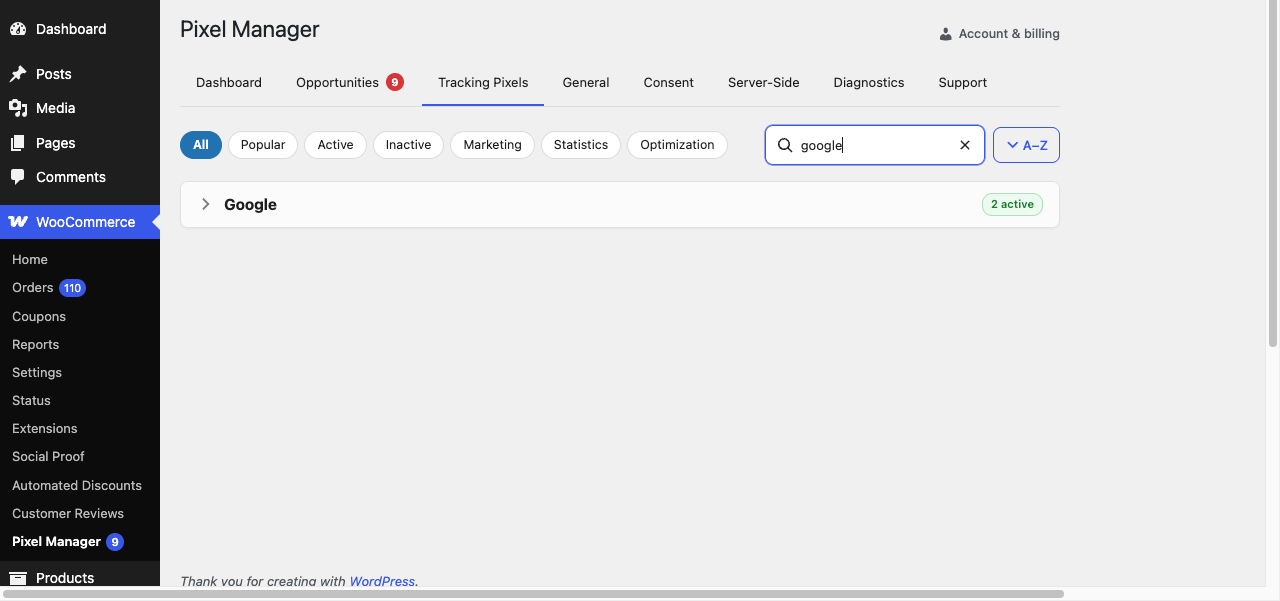
- Instant search: Type a few letters and the list narrows down in real time, across pixel names and vendors.
- Status badges: Every vendor card shows how many of its pixels are active, so you can see your setup at a glance.
- Collapsible vendor cards: Each vendor (Google, Meta, TikTok, LinkedIn, and many more) expands to reveal its settings right in place, no page navigation required.
Looking for your Google settings? Just type "google" and everything else gets out of the way:
More Goodies Throughout
Nova isn't just a fresh coat of paint. A lot of new functionality shipped alongside it:
- Instant saving: Settings are saved via the REST API in the background, with inline save indicators. No more "Save Changes" button at the bottom of a long page.
- Settings export and import: Copy your entire configuration as JSON and move it between staging and production, or keep it as a backup.
- Built-in backups: Restore a previous configuration if something goes wrong.
- Debug report: Generate a complete environment and connectivity snapshot with one click and paste it into a support request.
- Payment gateway accuracy report: The Diagnostics tab shows per-gateway tracking accuracy with a historical trend chart, so you can spot tracking gaps before they cost you ad budget.
- Deep links that just work: Every tab has its own URL, so the browser back and forward buttons behave exactly as you'd expect, and you can bookmark or share a direct link to any tab.
Prefer the Classic Interface?
Nova is now the default, but we're not forcing anyone to switch overnight. If you want to go back to the previous interface, head to the Support tab and switch to the Classic interface in the Interface section. Your choice is remembered, and you can switch back to Nova at any time.
The Classic interface will be retired in a future release, so we'd love for you to give Nova a real try. If something feels off or you're missing a feature, let us know, your feedback directly shapes what we build next.
Try It Now
Nova ships with Pixel Manager version 1.59.0. Update the plugin, open WooCommerce → Pixel Manager, and enjoy the new experience.
Interested to get updates?
Sign up to our monthly newsletter today.Happy tracking! 🎯

